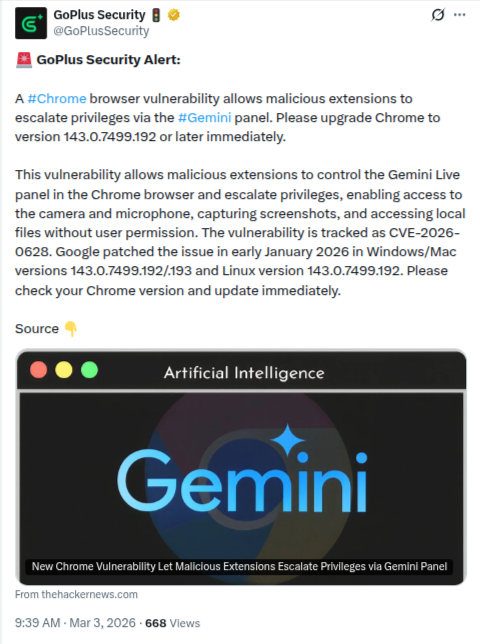
The integration of Generative AI into web browsers was meant to boost productivity, but it has also introduced a new frontier for cyber threats. Recently, Google quietly patched a high-severity vulnerability in Chrome’s Gemini Live in Chrome side panel” or “Gemini Live panel that could have allowed malicious browser extensions to transform from simple tools into sophisticated spyware. The flaw, tracked as CVE-2026-0628 with a near-critical CVSS score of 8.8, highlights a dangerous trend: as browsers become more “intelligent,” they also become more privileged, providing a larger surface for hackers to exploit.
The Anatomy of the Exploit: CVE-2026-0628
The vulnerability was discovered and responsibly disclosed by Gal Weizman, a security researcher at Palo Alto Networks Unit 42. The issue lay in “insufficient policy enforcement” within the WebView tag the container that runs the Gemini AI interface inside the Chrome side panel.
The Attack Chain:
-
Deceptive Entry: A user installs a seemingly benign Chrome extension (e.g., a simple dark mode toggle or a tab manager). These extensions often only require basic permissions like the
declarativeNetRequestAPI. -
Code Injection: Because the Gemini panel’s security policies were not strictly enforced, the malicious extension could inject custom JavaScript directly into the AI’s workspace.
-
Privilege Escalation: Here is the catch the Gemini panel is “privileged” by design. To help users summarize documents or record meetings, it is granted inherent access to the computer’s microphone, camera, screenshots of tabs/websites, and local files and directories.
-
Silent Takeover: By hijacking the panel, the extension inherits these “God-mode” permissions. The attacker could then activate the webcam or microphone without user consent, or silently exfiltrate local files like .docx or .pdf documents containing sensitive data.
The “AI-Browser Paradox”
Security experts are calling this the AI-Browser Paradox. To make AI features useful, developers must give them deep access to the user’s data and hardware. However, this creates a “golden bridge” for attackers. If a hacker can compromise the AI interface, they bypass the traditional sandboxing that usually keeps browser extensions isolated and harmless.
The Resolution: Is Your Data Safe Now?
Google acted swiftly after the report was filed in late November 2025. By January 2026, the Chrome team released a stable channel update versions 143.0.7499.192/.193 (Windows/Mac) and 143.0.7499.192 (Linux) that addressed the insufficient policy enforcement in the WebView tag.
While there is no evidence that this flaw was exploited on a massive scale, the potential for targeted corporate espionage was extremely high. For business environments where Gemini is used to analyze internal spreadsheets or sensitive code, the risk was critical.
Critical Steps for Users and Admins
To ensure your digital environment is secure, follow this checklist immediately:
-
Audit Your Chrome Version: Click the three dots (⋮) > Help > About Google Chrome.If you are on v143.0.7499.192 (or .193 for Windows/Mac) or later.
-
The “Rule of Three” for Extensions: Periodically review your extensions at
chrome://extensions/. If you haven’t used an extension in three months, delete it. Malicious actors often buy “abandoned” extensions to push malicious updates to an existing user base. -
Check Permission History: Look for any extension that has requested “Allow access to file URLs” or “Management” permissions without a clear reason.
-
For Enterprise: IT administrators should enforce Chrome’s Extension Workflow to prevent employees from installing unverified third-party tools that could interact with AI side panels.